---
title: Installing SIMVANA VR Applications
description: Learn how to install SIMVANA VR applications on your headset
---
[Skip to content](https://simvana.com/knowledge-base/installing-simvana-applications#main-content)
[](https://simvana.com/?hsLang=en)
- Solutions
Show submenu for Solutions
- [Anesthesia](https://simvana.com/anesthesia)
- [Nursing](https://simvana.com/nursing)
- [User Portal](https://simvana.com/user-portal)
- Resources
Show submenu for Resources
- [Schedule a Meeting](https://simvana.com/meeting)
- [Start Guide](https://simvana.com/guide)
- [Knowledge Base](https://simvana.com/knowledge-base)
- [Support](https://simvana.com/support)
- [Testimonials](https://simvana.com/testimonials)
Open main navigation
Close main navigation
- Solutions
Show submenu for Solutions
- [Anesthesia](https://simvana.com/anesthesia)
- [Nursing](https://simvana.com/nursing)
- [User Portal](https://simvana.com/user-portal)
- Resources
Show submenu for Resources
- [Schedule a Meeting](https://simvana.com/meeting)
- [Start Guide](https://simvana.com/guide)
- [Knowledge Base](https://simvana.com/knowledge-base)
- [Support](https://simvana.com/support)
- [Testimonials](https://simvana.com/testimonials)
- [Submit a ticket](https://simvana.com/support)
[Submit a ticket](https://simvana.com/support?hsLang=en)
How can we help you?
- There are no suggestions because the search field is empty.
1. [SIMVANA Knowledge Base](https://simvana.com/knowledge-base?hsLang=en)
2. [Virtual Reality](https://simvana.com/knowledge-base/virtual-reality?hsLang=en)
3. [Setup & Login](https://simvana.com/knowledge-base/virtual-reality?hsLang=en#setup-login)
September 30, 2026
# Installing SIMVANA VR Applications
## Learn how to download and install SIMVANA VR applications to your headset
### Installing from the Meta Store
SIMVANA Anesthesia or SIMVANA Nursing are available for download on the Meta App Store. From within the headset, use the "Store" app to search for and install either SIMVANA application.
For further instructions, visit [Meta's article on installing applications.](https://www.meta.com/help/quest/202382494824837/)
| [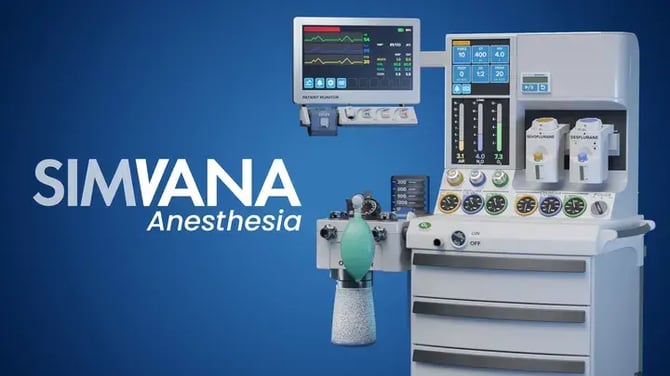](https://www.meta.com/experiences/simvana-anesthesia/6241063199338140/) [SIMVANA Anesthesia on the Meta Store](https://www.meta.com/experiences/simvana-anesthesia/6241063199338140/) | [](https://www.meta.com/experiences/simvana-nursing/7725961854175316/)[SIMVANA Nursing on the Meta Store](https://www.meta.com/experiences/simvana-nursing/7725961854175316/) |
| --- | --- |
### Installing via a Mobile Device Management (MDM) solution
If you are using an MDM like Horizon Managed Services, read our guide for [Adding a SIMVANA Application to Meta for Work.](https://simvana.com/knowledge-base/adding-a-simvana-application-to-meta-for-work?hsLang=en)
### Getting Started
Visit our getting started articles to learn more about the basics of our applications.
- [SIMVANA Anesthesia Controls](https://simvana.com/knowledge-base/simvana-anesthesia-controls?hsLang=en)
- [SIMVANA Nursing Controls](https://simvana.com/knowledge-base/simvana-nursing-controls?hsLang=en)
- [Account](https://simvana.com/knowledge-base/account?hsLang=en)
- [Virtual Reality](https://simvana.com/knowledge-base/virtual-reality?hsLang=en#main-content)
- [Setup & Login](https://simvana.com/knowledge-base/virtual-reality?hsLang=en#setup-login)
- [Controls](https://simvana.com/knowledge-base/virtual-reality?hsLang=en#controls)
- [Hardware](https://simvana.com/knowledge-base/virtual-reality?hsLang=en#hardware)
- [User Portal](https://simvana.com/knowledge-base/user-portal?hsLang=en#main-content)
- [Instructor Tools](https://simvana.com/knowledge-base/user-portal?hsLang=en#instructor-tools)
- [Meta Admin Center](https://simvana.com/knowledge-base/meta-admin-center?hsLang=en)
- [Onboarding Checklists](https://simvana.com/knowledge-base/onboarding-checklists?hsLang=en)
[](https://simvana.com?hsLang=en)
[mailto:support@simvana.com](mailto:support@simvana.com)
Copyright © 2026, SIMVANA